image: sincerely-media
How can I increase traffic to my website for free?
It’s the question on the lips of most business owners. Not everyone has a big marketing budget to play with so paid ads may not always be an option. All is not lost. In this blog post we’ll look at several things you can work on to increase the chances of your website getting found organically.
1. Look At Your Website Analytics
Do you regularly check your website analytics? If the answer is ‘no’ then you need to read on…
You can access this gold mine of information by logging into your website builder (e.g. SquareSpace or Wix) where you’ll find the Analytics section on your dashboard. Alternatively you can use Google Analytics to give you in depth reporting.
By looking at your website data you’ll be able to:
· See how many visitors you’re getting
· See how they found you (e.g. via social media or search engines like Google)
· See where they are in the world
· See how visitors are navigating your site
· See which content is getting the most views
· See which keywords are leading visitors to your site from Google
Once you have a better picture of all these things then you can plan how to make improvements.
It’s vital that you work out how to successfully drive more web traffic so that you can increase your chances of sales and leads.

If your analytics are quieter than a ghost town and all you can see is tumbleweed - don’t panic!
Here are some ways you can change that…
2. Social Media Posts
Use your social platforms to promote your website. By telling your followers about your latest blog or new product and how it can help them with an issue they may be experiencing, you can encourage them to visit and take the desired action.
Never assume that your followers have already visited your website and know all about you. Give them a clear ‘call to action’ in all your posts. Tell them exactly what you want them to do: ‘Read more on my blog’, ‘Click the link in my bio’, ‘Sign up for my newsletter’ etc.
If you’re an e-commerce business then you should definitely set up a Facebook and Instagram shop which will allow ‘shoppable’ posts. This means you can tag the items shown. By clicking on the shopping tags in your Facebook or Instagram image or video, viewers will be taken straight to the relevant product page. This is a fantastic way to allow them to buy from you directly in just a few easy clicks.
Your website analytics will give you a breakdown of ‘social referrals’ so you can see exactly which social platforms visitors are coming from. This is important because it can help you measure how successful you have been at engaging your audience and getting them to take the required action.

Include a clear ‘call to action’ in your social media posts.
It will encourage followers to visit your website to learn more about your products or services.
Instagram famously allows just one clickable link on your profile and doesn’t allow external links in grid posts. Use your captions to direct people to your ’link in bio’ where you can share your most important url. Are people clicking on that link? If not then you need to work out why.
It could be that you have a confusing Linktree style bio page with too many options. Readers potentially get overwhelmed and click away without taking any action. Keep things simple with just a few buttons such as ‘Website’, ‘Blog’ and ‘Facebook Group’.
Bio Page Tip
You can create a bio page similar to a Linktree profile on your own website which can be hidden from view in the menu bar - simply link off to multiple places you want from this one page. Use the single url for this bio page in your social media profiles. By building it on your own site you’ll be able to use your own branding (colours, fonts etc.) and avoid being penalised by Instagram which prefers users not to employ third party apps.
3. Write a Blog
By writing a blog on your website you are creating an opportunity to improve your search engine optimisation (SEO), demonstrate your expertise AND create content which can be repurposed and shared across all your channels. How great is that?!

image: ella jardim
Google (the most popular search engine) favours websites that add fresh content and it will rank these websites higher in searches than sites which sit untouched for years. It loves it when websites are updated regularly and consistently. A monthly or weekly blog is the perfect way to take advantage of all these benefits.
Blog Keywords
Make sure your blog titles and content include the keywords your ideal customer will be searching for. If you’re a Yoga instructor you could drive visitors to your site by writing blogs with titles like ‘The Benefits of Yoga for Lower Back Pain’, ‘Yoga Poses for a Stiff Neck’ or ‘Beginners Guide to Yoga’. The secret is to get into the mind of your audience personas - fully understand their problems and how you can help them. If you solve their problems with your blog titles and content they will click to read more.
4. Pinterest
Pinterest is a visual search engine and a fantastic platform for promoting your content. It provides one of the most effective ways to drive web traffic and currently has 459 million monthly active users and rising (Spring 2021). You can read more about the growing popularity of Pinterest here.
.
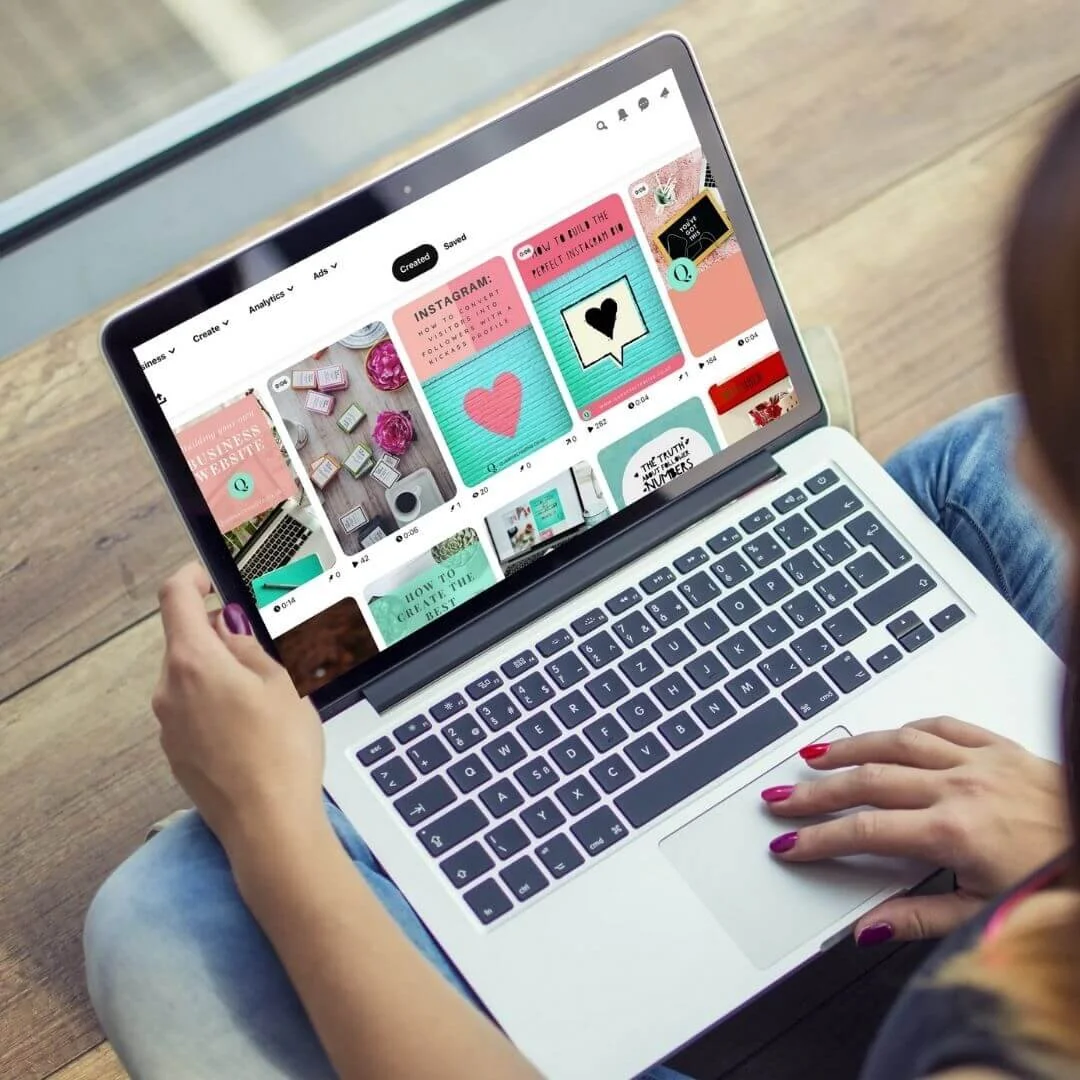
image: ©QueenieCreative
By setting up a business account with different visual Boards which relate to your niche, you will be able to promote your blog / online shop / services.
Create visually appealing ‘Pins’ with images or short videos plus titles which include relevant keywords. Write an engaging caption and take readers directly to your website with a link of your choice.
Unlike social media posts which typically have a short shelf life, Pinterest can keep on bringing new viewers to your website over months or even years. Be prepared to create regular pins and you will reap the benefit. You can make multiple Pins from one single blog post or webpage and pin them to multiple boards to increase your chances of being found by your target audience.
See the image below for an example of what a ‘Pin’ looks like. Image creation tool Canva offers Pinterest templates which can be edited and customised to reflect your own brand.
Pinterest Tip
Make sure your website is optimised for Pinterest to allow pinning by visitors. This will allow people to share your content / products onto their own Pinterest boards which brings further exposure for your business. You know if this is set up correctly when someone hovers over any image on your site, the red ‘Pinterest save’ button should display.

Here’s an example of a branded pin I created to promote this blog post.
Use keywords in your image titles and in the accompanying short caption (not shown here) along with your business name. You must also include a call to action with your website page url.
5. Search Engine Optimisation
If when you look at your analytics, you see that no one is finding your site via search engines, then you should examine your SEO strategy.
SEO is a big factor in driving organic traffic to your website. It will help you show up on search engines like Google.
Potential customers are out there looking for businesses like yours. When they type what they’re looking for into the search bar you need your business to show up.
Whether it’s ‘Bristol florist’ or ‘organic skincare’ make sure your webpages are optimised by including relevant keywords in your page names, headings, web copy and image file names.
Set up Google My Business which is a free service giving you the ability to list your business location on Google Maps and show up in local search results.
A Google My Business account lets you write a business description, add images and videos and it also allows customers to leave reviews which are vital in building trust in your brand.
I really hope you found this blog post useful. If you’d like to learn more tips on how to get your business in front of the right people then sign up for my ‘Digital Pearls of Wisdom’ Newsletter…Fill out the form below.

Get in touch if you’d like help with improving your website’s visibility.
Newsletter Sign Up